Dronefront FPV Controls & Flight Basics
Fly cleaner strikes and waste fewer expensive drones.
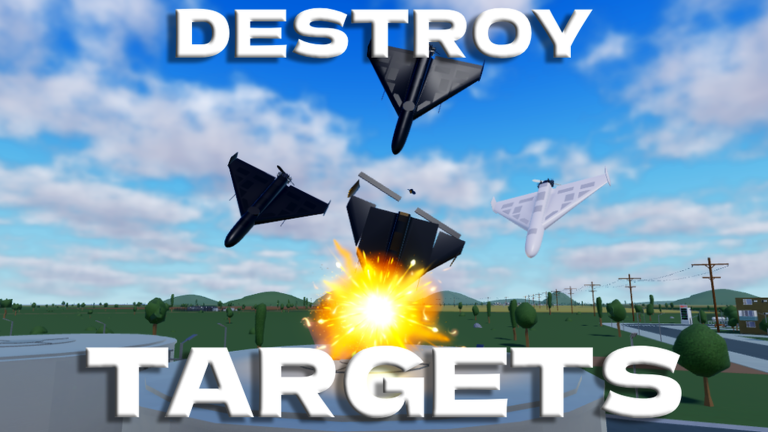
FPV is the skill ceiling of Dronefront on Roblox. If you main Drone Operator, raw Gamepasses will not save a shaky camera hand. Operators launch FPV drones, missiles, and strike platforms into infrastructure while Defenders hunt your silhouette. This guide focuses on practical FPV controls habits, approach lines, device tips, and drills you can repeat every session before spending Fragments on premium platforms.
Mindset before keybinds
Roblox experiences remap controls across keyboard, controller, and touch. Instead of memorizing one static table forever, lock these habits:
- Smooth camera movement over twitch spam
- Throttle discipline so you do not overshoot targets or hang exposed
- Pre-planned ingress and egress for every sortie
- Separating scout flights from commit flights emotionally and economically
- Treating every roof as occupied until proven empty
Pair this page with the Operator Guide and Drones Tier List.
Core flight checklist
Run this checklist before every commit dive:
- Launch from cover, not the middle of a defended plaza.
- Climb just high enough to read rooftops, then descend to reduce silhouette time.
- Identify AA threats and Verba angles before you dive.
- Commit only when the target building is clear or distracted.
- If the dive fails, break laterally instead of climbing straight up into anti-air lanes.
The embedded Dronefront clip shows how fast live FPV action reads on Roblox. Watch altitude changes and how quickly Defenders punish slow hovers.
Beginner drills (10 minutes per session)
Drill A �?Figure eights over a safe field: build roll and yaw comfort without dying to AA. Focus on smooth inputs.
Drill B �?Roofline hugging: practice staying near buildings on districts listed in Map Targets. Rooflines break sightlines.
Drill C �?Abort practice: intentionally break off three dives in a row so panic pulls do not become your only habit.
Drill D �?Scout then strike: one cheap FPV info pass, then a real commit with a better platform once lanes are confirmed.
Drill E �?Audio-only awareness: close your eyes briefly during safe flight to notice pitch changes �?then reopen them before committing near buildings.
Device-specific tips
PC keyboard and mouse: lower sensitivity until you can track a moving Defender without over-rotating. Many beginners crank sensitivity because it feels faster, then overshoot every correction.
Controller: use gentle stick curves; boom input kills precision on small FPV models. Consider slightly higher deadzones if your sticks drift.
Mobile: larger UI scale and two-thumb stability matter more than cosmetic skins. Play shorter sorties because touch precision is harder under stress.
Exact keybind labels can change after updates �?verify in-game after Updates notes.
Choosing a trainer drone
Start on a forgiving FPV option such as community favorites in the KVN or Interceptor conversation, then graduate to heavier strike tools like Morok or Shahed-238 style platforms. See Drones & Missiles and Beginner Loadouts.
Do not buy premium missiles until your scout-and-commit loop works twice in one life.
How defenders will try to stop you
Read the Defender Guide so you recognize pre-aimed sky lanes, Portable Radar style awareness, and Verba hold angles. The best FPV pilots fly as if every roof is occupied until scout data says otherwise.
Common Defender punish patterns:
- Pre-aim on main road skylines where lazy Operators repeat dives
- Relocate after your first miss so your second approach faces a fresh angle
- Listen for your launch audio before they see the model
Ingress and egress planning
Before launching, pick two routes: primary strike lane and emergency exit toward cover. After a hit, egress matters as much as ingress �?climbing straight up is often the worst choice.
Use Civilians as unintentional cover only ethically: do not bait players, but recognize that busy streets distract Defenders scanning rooftops.
Progression after controls feel good
- Farm with Earn Fragments
- Learn infrastructure priorities on Map Targets
- Add missiles only when your FPV scout loop is consistent across multiple lives
- Chase event drones like Disruptor via Summer Event
- Recheck Updates after AI drone or physics tweaks
- Plan purchases with Fragment Planner
Common FPV mistakes
- Hovering above targets instead of diving or aborting
- Launching from the same staging point repeatedly
- Chasing Defenders in open sky instead of hitting objectives
- Buying Gamepass-tier fantasies before basics �?see Gamepasses
- Skipping How to Play team context
Related pages
- Teams Overview
- Weapons Tier List
- Civilian Guide to understand ground perspective
- Scripts Hub if you were looking for aim assists �?understand ban risk first
Clean controls create clean Fragments. Master the craft before you master the shop.
Frequently Asked Questions
Quick answers to the most common questions.
What is the best sensitivity for Dronefront FPV?
Use the lowest sensitivity that still lets you track strafing targets. Most beginners over-tune and overshoot.
Should I hover above targets?
No. Hovering makes you an easy anti-air target. Dive with purpose or break off.
Which drone should I train on?
A stable FPV platform first. Save premium missiles until your scout-and-commit loop is consistent.
Why do I keep losing drones instantly?
You are likely launching in the open, diving predictable lines, or ignoring Defender rooftop control.
Do scripts help with FPV?
Some players look for assists, but they risk bans. Improving controls and routes is the durable approach.